

When you start a new cycle period, you often want the same objectives and key results as last time, with small tweaks. Copy OKRs from last cycle copies the structure from your team's most recent prior cycle so you do not have to retype everything.
Where to find it
- Open your team's OKRs section
- Select the new period in the period selector (the cycle should be empty, or in draft with no objectives yet)
- Open the Create tab
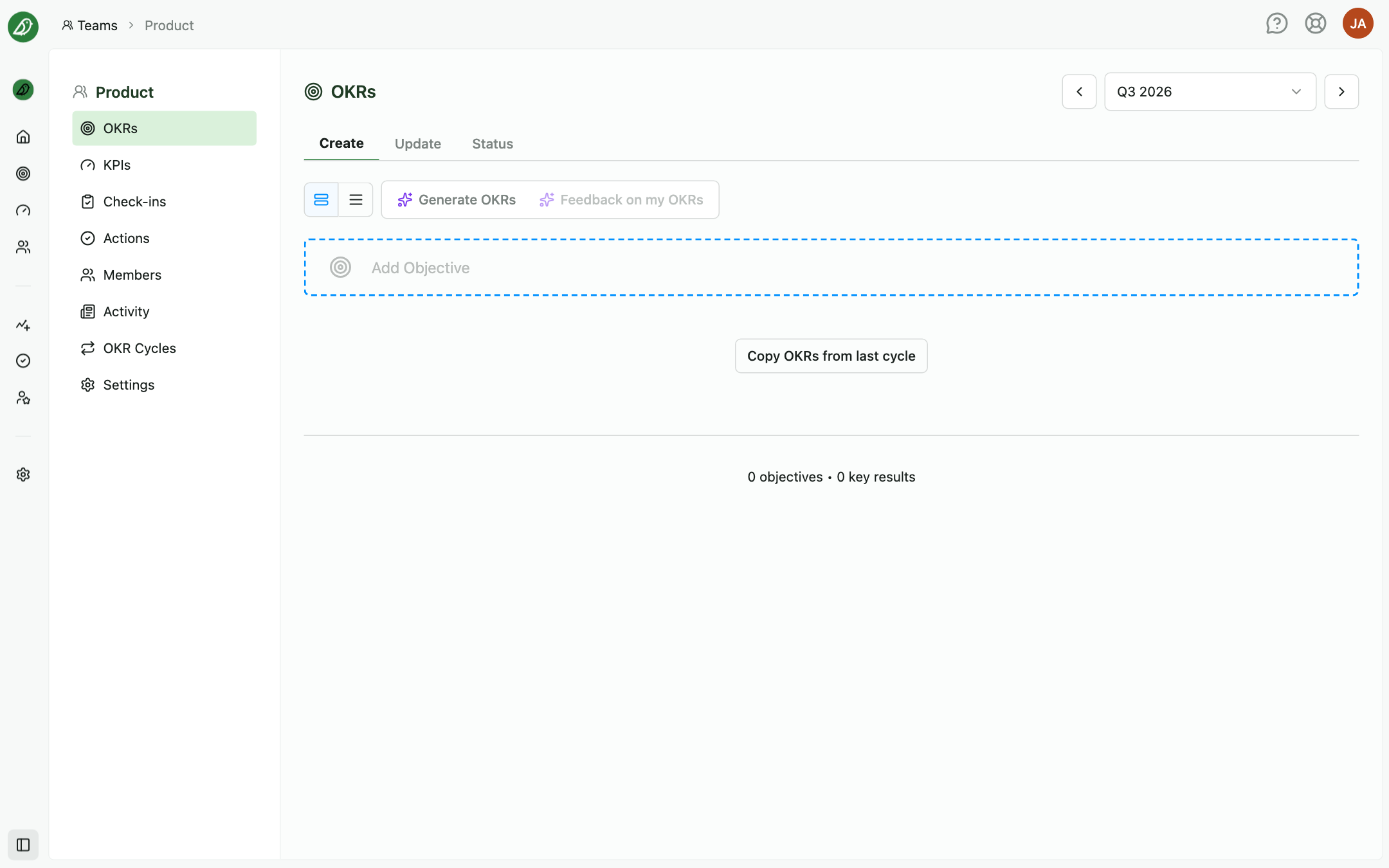
If there are no objectives in the current period and at least one older cycle exists with OKRs, you'll see Copy OKRs from last cycle on the empty state next to Add Objective. For a team's very first OKRs the Create tab offers Draft with AI or or write them yourself instead.
What happens when you copy
OKRnest finds the most recent older cycle (by start date) that has at least one objective and copies its active objectives and active key results into the current period as new draft content.
While copying, the button shows Copying...
On success, a confirmation appears: OKRs copied, with the number of objectives and the source cycle name.
What is copied
For each objective:
- Title and display order
For each key result under that objective:
- Title and type (Number, Percent, or Currency)
- From and To target values
- Owner assignment
- Weight and progress calculation settings
- Order within the objective
What is not copied
- Contributes to links are reset. Re-link objectives on the new cycle if you still need cross-team alignment
- Updates, comments, and check-ins from the old cycle (the new cycle starts with no progress history)
- Deleted (inactive) objectives or key results
- Links to parent key results from the previous cycle
- Milestones, which are specific to the old cycle's dates
Copied items are unsaved draft content until you click Save as draft or Publish.
If copy is unavailable
You'll see No previous OKRs found when:
- This is the team's first cycle with content
- Older cycles exist but have no objectives
- The current period already has objectives
You can still add OKRs manually with Add Objective.
After copying
- Review titles and targets. Adjust anything that changed for the new period
- Reassign owners if team membership shifted
- Set up Contributes to links again if your organisation uses alignment
- Save as draft to keep collaborating, or Publish when the team is ready
Tips
- Copy before editing: Start from the copy, then delete or add key results rather than building from scratch each quarter
- Archive old cycles: Copying does not affect archived cycles; it only reads their structure
- Combine with manual adds: Copy brings the baseline; add new objectives for new priorities in the same cycle